ADECS³ [Module-AAM]
Attitude and Alarm Monitoring
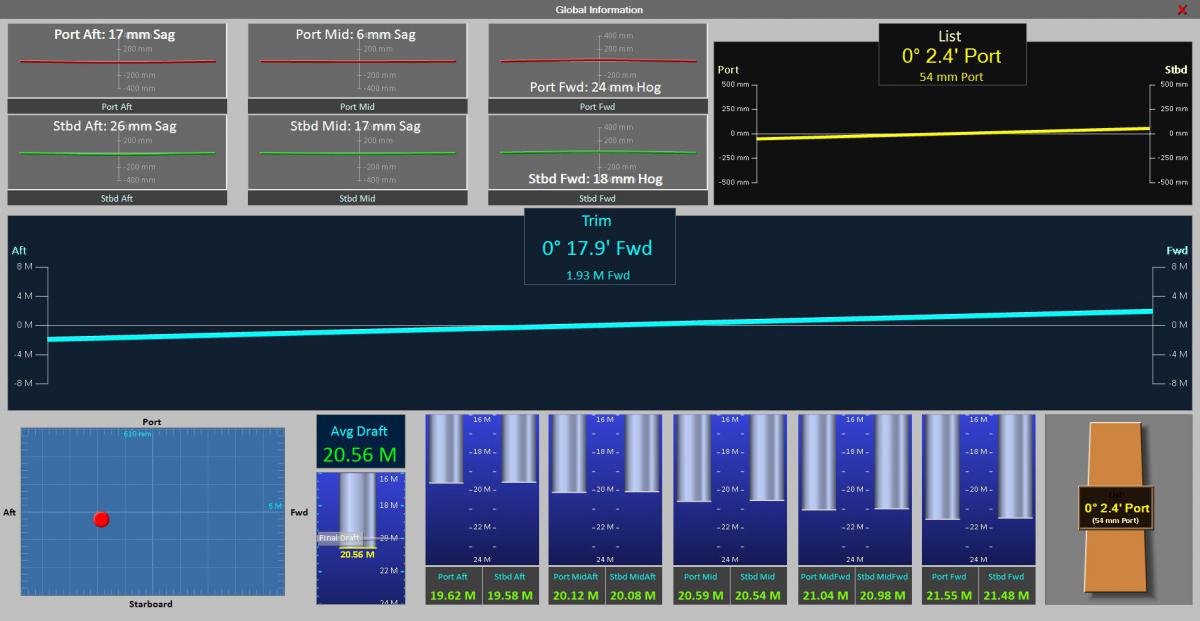
The Attitude and Alarm Monitoring (AAM) module for a floating dock provides supervisory views of the dock including global list, trim, and deflection monitoring, combined with valve, pump, tank, and draft status in a flexible multi-panel layout.
In addition to multiple general status windows, graphical interface is provided to assign and monitor draft and tank level targets, level locking, and value comparison. All windows formats are flexibly arranged to allow any combination to be shown, in one of three different sizes, as selected by the user. A single screen might show all of the tank levels, the valve status, and the overall status of the dock simultaneously and understandably.
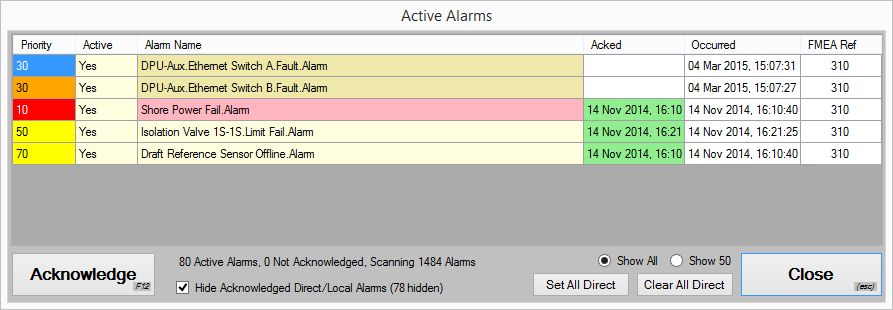
AAM also provides enhanced alarming, alarm logging, and user security. Each alarm shows occurrence, acknowledgement and recovery times, all of which are logged to be reviewed later if desired. Alarms can be individually acknowledged, or acknowledged all at once. In addition to standard visual and audible alarm indication, notification is available via email.
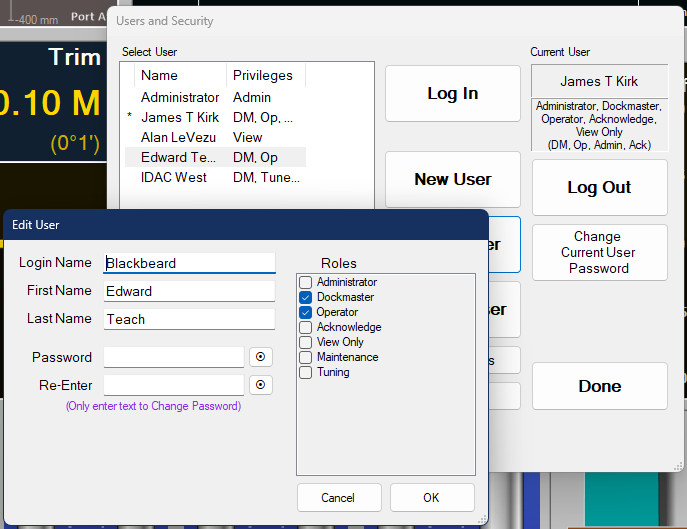
The AAM module provides the user/password security functionality within ADECS. Users can be assigned privileges to allow alarm acknowledgement, setpoint adjustment, alarm bypassing, etc. based on the role assigned.
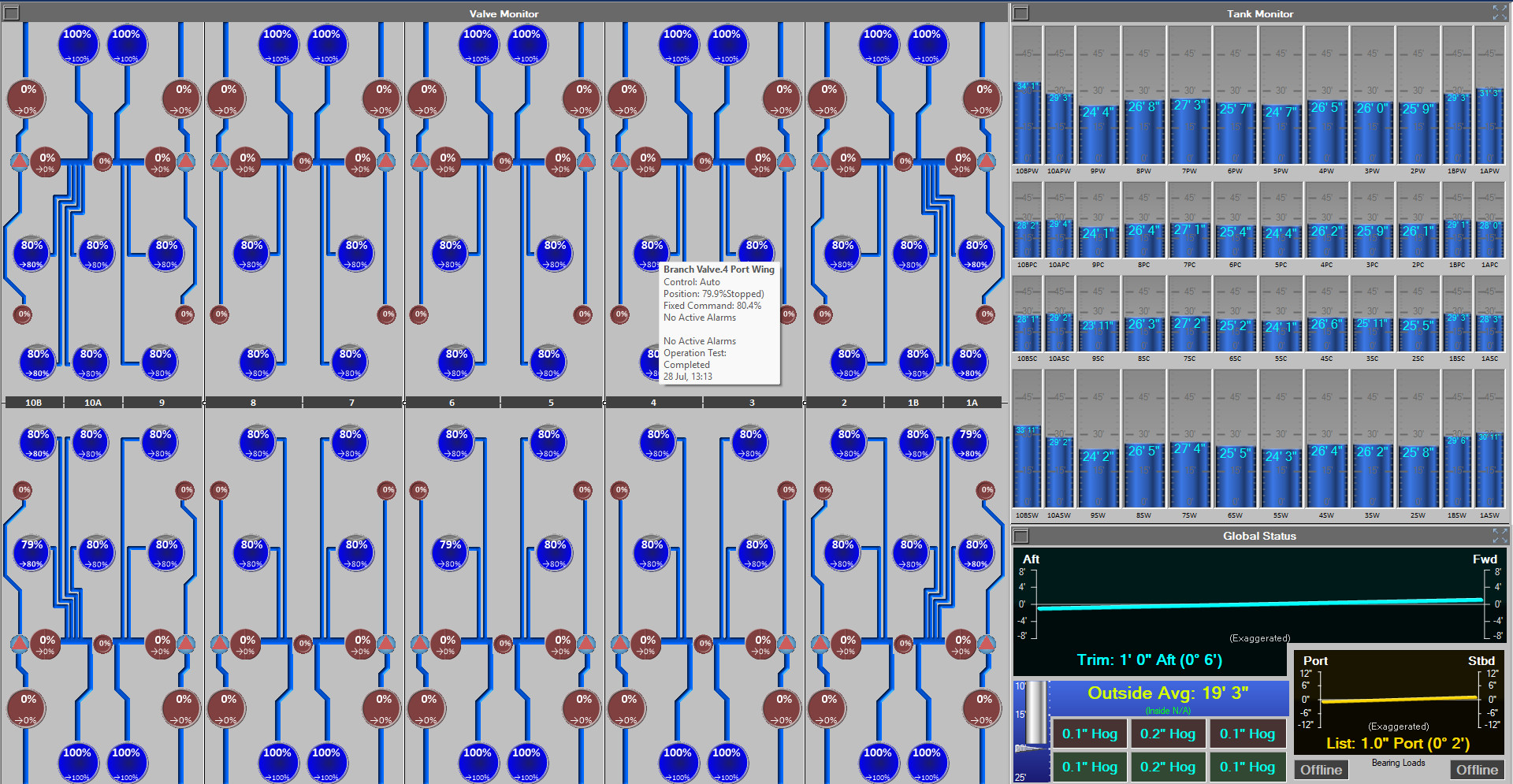
The AAM graphical interface software runs on standard Windows computers and can be installed on multiple computers throughout the dock under the same license. Commonly the control room will have two or three AAM monitors with touch interface, and often an additional computer with the AAM software will be connected to the ADECS network and placed in the dock master’s office.
When matched with a corresponding Remote Direct Manual (RDM) control module and the Multi-axis Deflection Monitoring (MDM) Module, full control and monitoring of the dock is enabled by qualified operators. When all three of those modules are in place, the fully Automated Evolution Control (AEC) module can be added, providing "one-touch" control of the evolution of the dock.
|