ADECS3 Configurations
The ADECS3 components can be used in multiple different configurations. We can design and provide panels (like the ones shown here) that contain screens that can be used for operation of the system (either complete or partial), or we can implement screens into a larger control room scheme as shown below.
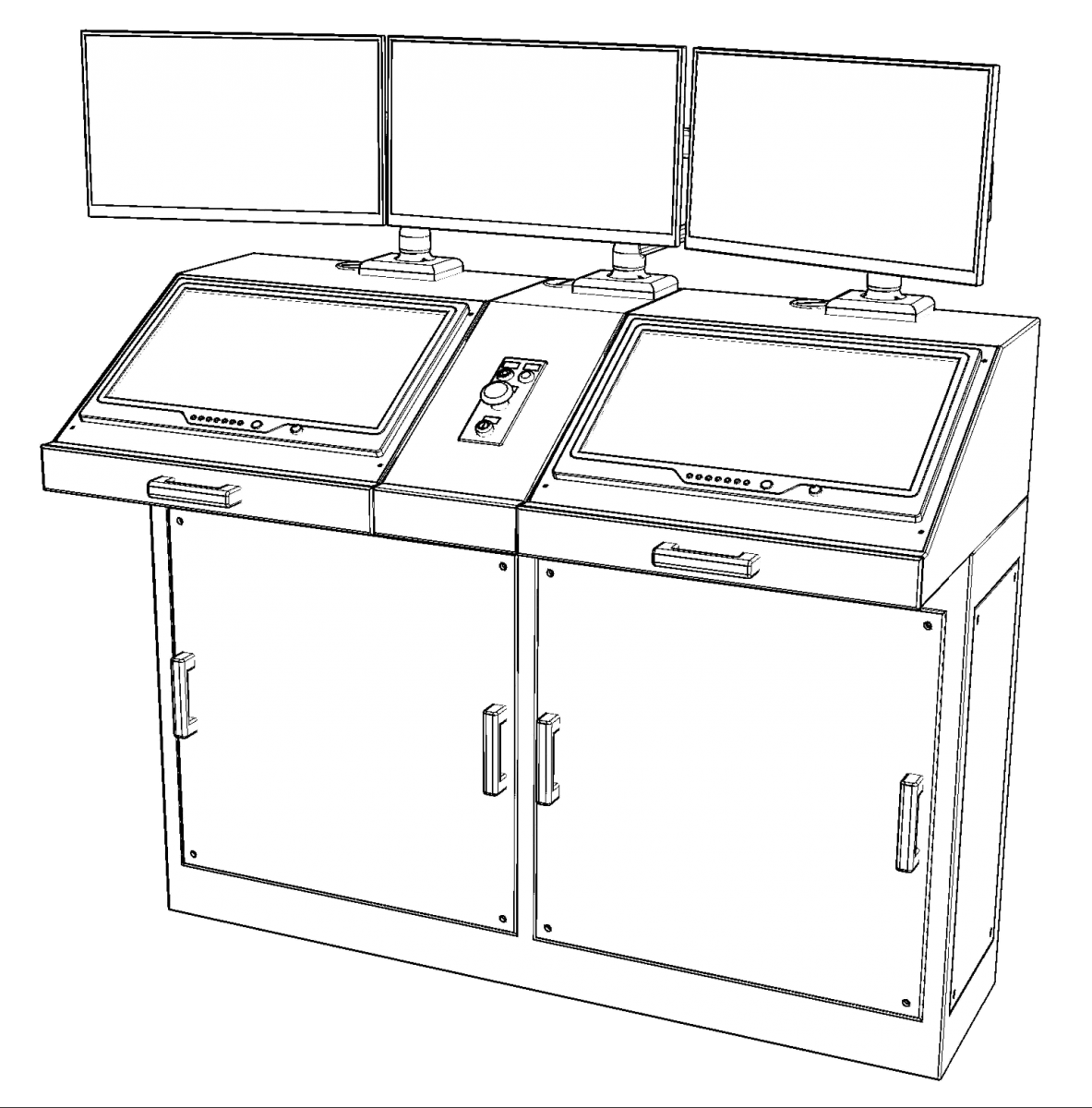
At left is the simplest common panel design with five screens (2 Automatic Evolution/Attitude Monitor (AEC/AAM) and a Multi-axis Deflection Monitor (MDM) on top, and 2 Remote Direct Manual (RDM) touch panels on the bottom). This arrangement allows a single operator to comfortably control and monitor the entire dock. As all screens are touch based, keyboards and mice are rarely needed, but they are available in the keyboard drawers.
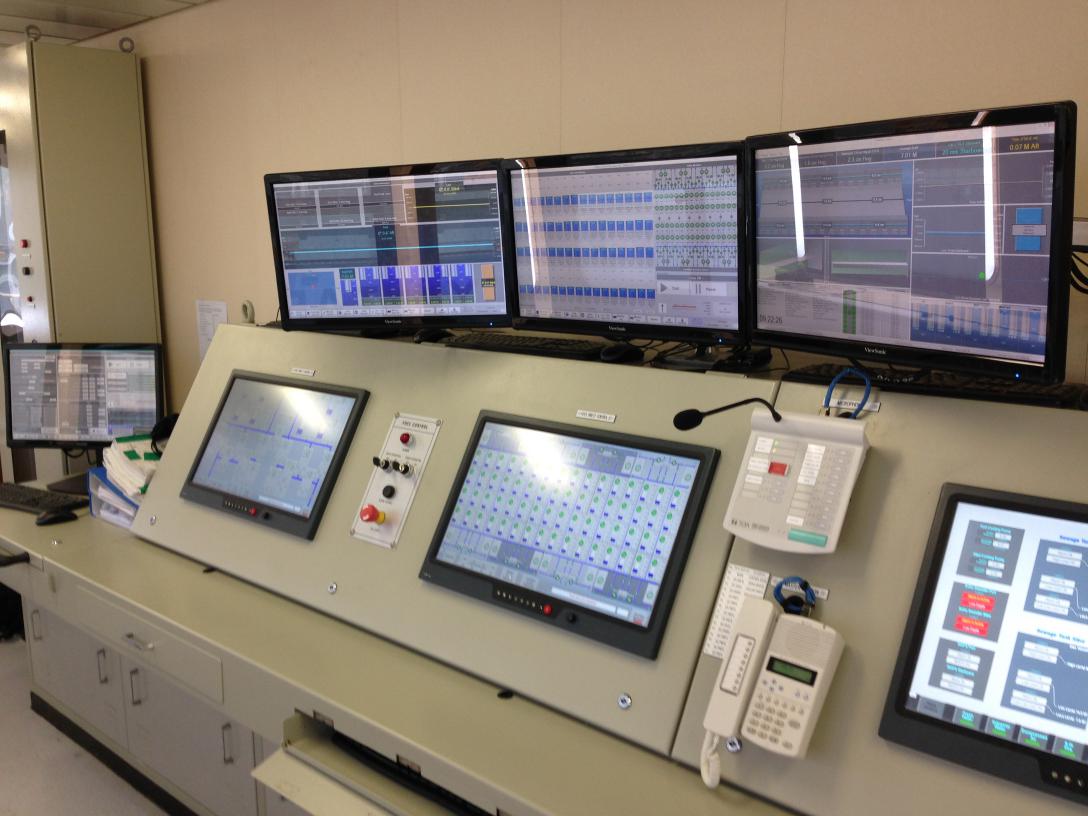
The image at right shows a fully implemented ADECS3 that was placed into an existing control room console design. In this photo, the top three screens (from left to right) are two Automatic Evolution/Attitude Monitor (AEC/AAM) screens and one Multi-axis Deflection monitor (MDM) screen. The three mounted screens are all Remote Direct Manual (RDM) sceens to allow for multiple operators at the same time. Commonly the rightmost RDM screen is used for Remote Auxiliary (RAX) monitor and control. The screen at the far left (barely showing) is an additional AAM/AEC screen (currently showing an AEC setup view).
The following images show several other configurations that are very similar to systems now in place in docks around the world.
 |
This system shows the MDM screen at the left of the workstation area, in actuality, that screen is mounted from the ceiling, and an additional AAM/AEC touch display is mounted at the dockmaster's chair. |
 |
This arrangement allows operators to sit at the direct screens with a supervisor between who can monitor and direct them. |
 |
This is basically the same as the simple version, but has a space for additional controls such as lighting, generator monitoring, CATV, etc. In addition, on the right section is a translation positioning control station. |
|
This system was placed into an existing control room design. This layout format is common to many floating dry docks. |
| The above mock-ups are composed of custom cabinet pieces that are designed to work together well in a control room setting. Some of the pieces are shown in the image below. | |
 |
|